Promxy 和 vmalert 都部署好了,但每次改配置都要 kubectl edit 或重新 apply YAML,能不能像 Operator 管 CRD 一样,改个 KV 就热加载?
可以。用 Consul KV + consul-template sidecar。
前期准备:统一改为 Consul 管理 之前的状态:
Promxy :用它自己的 Helm chart(从 GitHub repo 拉取)单独部署,配置写死在 values.yaml 里vmalert :由 victoria-metrics-k8s-stack 这个 Helm chart 自带,配置由 Operator 管理
两个组件各自为政,改配置都要 helm upgrade,不够灵活。
为了实现配置热更新,把它们都改为独立的 Deployment YAML 部署,加上 consul-template sidecar:
Promxy :卸载原来的 Helm release,改用 Deployment YAML + consul-template sidecarvmalert :从 victoria-metrics-k8s-stack 的 values.yaml 中关闭(enabled: false),改用 Deployment YAML + consul-template sidecar
保留 Helm 管理的部分 (不需要动态配置):
vminsert / vmselect / vmstorage(VM 存储层)
Grafana(可视化)
Alertmanager(告警接收,SMTP 配置相对固定)
独立部署后,配置文件不再写死在 YAML 里,而是由 Consul KV 统一管理,consul-template watch 变更并自动渲染。
架构 1 2 3 4 5 6 7 8 9 10 11 12 13 14 15 16 ┌─────────────┐ │ Consul KV │ │ (配置中心) │ └──────┬──────┘ │ watch ┌──────────┴──────────┐ │ │ ┌────────▼────────┐ ┌─────────▼─────────┐ │ consul-template │ │ consul-template │ │ (Promxy sidecar)│ │ (vmalert sidecar)│ └────────┬────────┘ └─────────┬─────────┘ │ render │ render ┌────────▼────────┐ ┌─────────▼─────────┐ │ Promxy │ │ vmalert │ │ (查询聚合代理) │ │ (告警引擎) │ └─────────────────┘ └───────────────────┘
核心思路:consul-template 作为 sidecar 跑在 Pod 里,watch Consul KV 的变更,自动渲染配置文件,然后通知主进程 reload。
Consul 部署 用 Helm 部署,只启用 server + UI:
1 2 3 4 helm pull hashicorp/consul --untar cd consulhelm upgrade --install consul ./ -f values.yaml -n consul --create-namespace
验证 Consul UI 可用:
1 2 kubectl -n consul port-forward --address 0.0.0.0 svc/consul-consul-ui 3002:80 &
Promxy:单键配置 Promxy 的整个配置文件是一个 YAML,用一个 KV 键存就行。
consul-template 模板 1 2 3 4 5 6 7 8 9 10 apiVersion: v1 kind: ConfigMap metadata: name: promxy-ct-templates namespace: victoria-metrics data: promxy.yaml.ctmpl: | {% raw %}{{ with key "/promxy/config" }} {{ . }} {{ end }}{% endraw %}
{{ with key "/promxy/config" }} 从 Consul KV 读取单个键的值,直接输出。
Deployment 关键字段 1 2 3 4 5 6 7 8 9 10 11 12 13 14 15 16 17 18 19 20 21 22 23 24 25 26 27 28 29 30 31 spec: template: spec: shareProcessNamespace: true containers: - name: promxy image: quay.io/jacksontj/promxy:v0.0.93 command: - sh - -c - "sleep 5 && /bin/promxy --config=/etc/promxy/config.yaml --bind-addr=:8082 --web.enable-lifecycle" volumeMounts: - name: config mountPath: /etc/promxy - name: consul-template image: hashicorp/consul-template:0.39.0 args: - "-consul-addr=consul-consul-server.consul.svc.cluster.local:8500" - "-template=/etc/ct-templates/promxy.yaml.ctmpl:/etc/promxy/config.yaml:wget -qO /dev/null --post-data='' http://localhost:8082/-/reload" - "-log-level=info" volumeMounts: - name: config mountPath: /etc/promxy volumes: - name: config emptyDir: {}
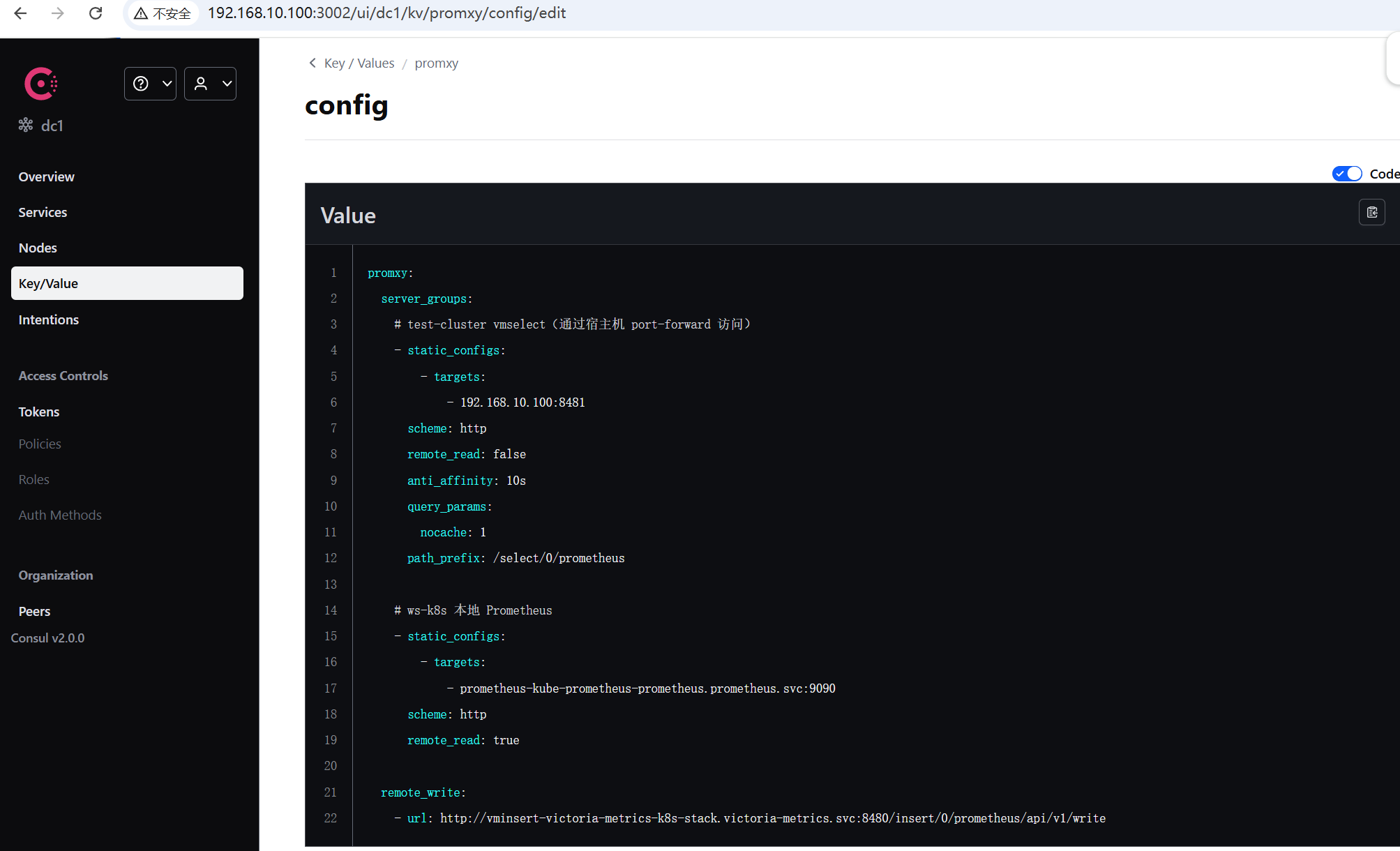
Consul KV 写入 Promxy 配置 在 Consul WebUI 中创建 Key promxy/config,Value 为 Promxy 的完整 YAML 配置:
1 2 3 4 5 6 7 8 9 10 11 12 13 14 15 16 17 18 19 20 21 22 promxy: server_groups: - static_configs: - targets: - 192.168 .10 .100 :8481 scheme: http remote_read: false anti_affinity: 10s query_params: nocache: 1 path_prefix: /select/0/prometheus - static_configs: - targets: - prometheus-kube-prometheus-prometheus.prometheus.svc:9090 scheme: http remote_read: true remote_write: - url: http://vminsert-victoria-metrics-k8s-stack.victoria-metrics.svc:8480/insert/0/prometheus/api/v1/write
也可以用命令行写入:
1 2 3 4 5 6 7 8 9 10 11 12 13 14 kubectl exec -n consul consul-consul-server-0 -- consul kv put promxy/config 'promxy: server_groups: - static_configs: - targets: ["192.168.10.100:8481"] scheme: http remote_read: false anti_affinity: 10s query_params: nocache: 1 path_prefix: /select/0/prometheus - static_configs: - targets: ["prometheus-kube-prometheus-prometheus.prometheus.svc:9090"] scheme: http remote_read: true'
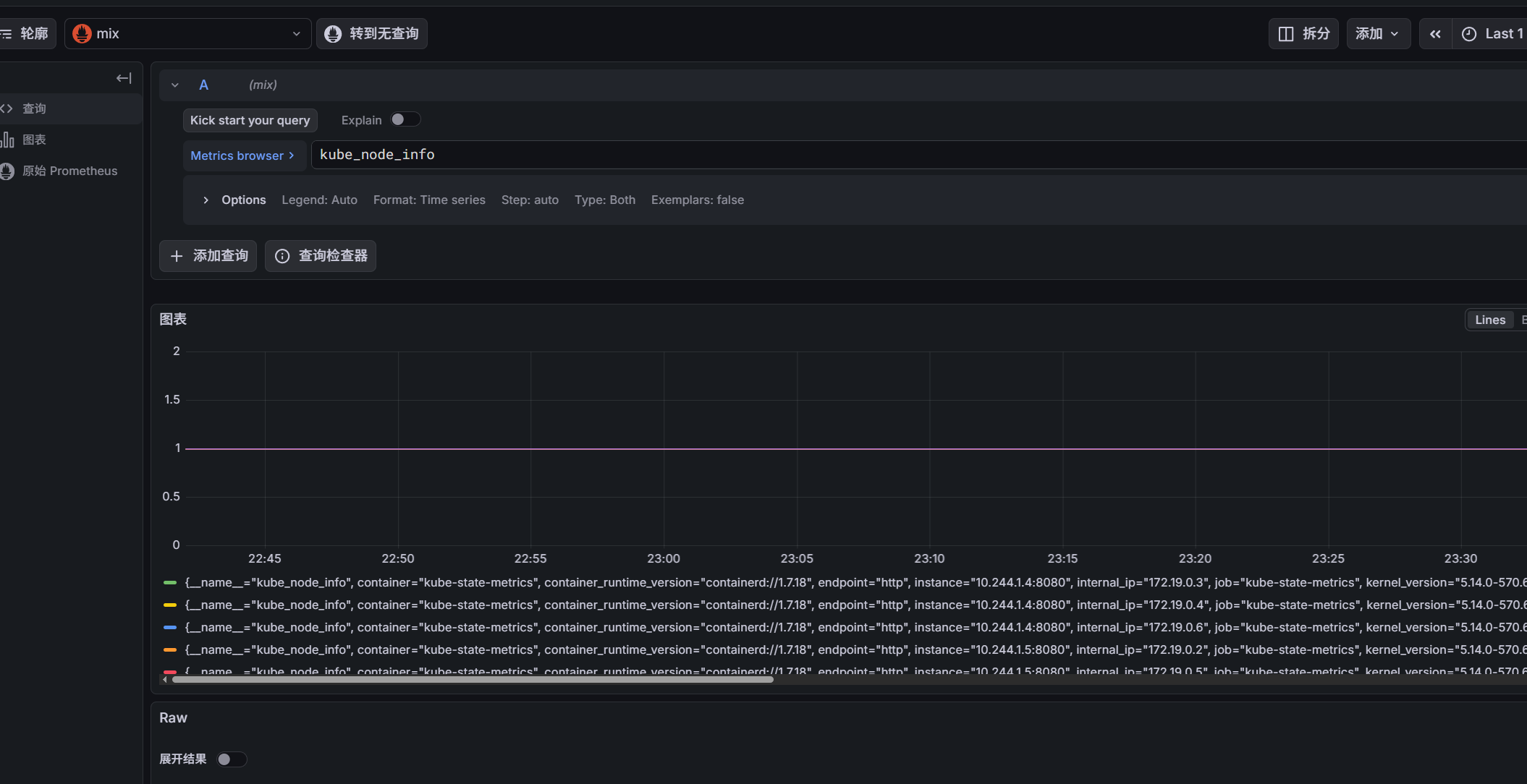
验证 1 2 3 4 5 6 7 kubectl --context kind-test-cluster -n victoria-metrics port-forward --address 0.0.0.0 svc/vmselect-vm-stack-victoria-metrics-k8s-stack 8481:8481 & kubectl --context kind-ws-k8s -n prometheus port-forward --address 0.0.0.0 svc/prometheus-grafana 3000:80 & kubectl -n victoria-metrics port-forward --address 0.0.0.0 svc/promxy 8082:8082 &
Consul KV 变更 → consul-template 自动渲染 → Promxy reload → 查询聚合生效。
vmalert:目录遍历多键规则 vmalert 的告警规则有多条,每条规则单独一个 KV 键,存在 /vmalert/rules/ 目录下。consul-template 用 tree 函数遍历目录,把所有规则拼成一个文件。
consul-template 模板 1 2 3 4 5 6 7 8 9 10 11 apiVersion: v1 kind: ConfigMap metadata: name: vmalert-ct-templates namespace: victoria-metrics data: rules.yml.ctmpl: | groups: {% raw %}{{- range $key, $pairs := tree "/vmalert/rules/" }} {{ $pairs.Value | indent 4 }} {{ end }}{% endraw %}
和 Promxy 模板的区别 :
对比项
Promxy
vmalert
读取方式
{{ with key "/promxy/config" }} 单键{{ range tree "/vmalert/rules/" }} 遍历目录
KV 结构
单个键存完整配置
每条规则一个键
输出
直接输出 value
groups: + 每个 value 缩进拼接
模板细节 :
groups: 由模板统一添加,KV 中的 value 不带 groups: 字段{{- range:左 trim,吃掉 range 前面的换行,避免 groups: 和第一项之间出现空行indent 4:将每个 value(以 - name: 开头)缩进 4 格,使其成为 groups: 下的合法列表项
Deployment 关键字段 1 2 3 4 5 6 7 8 9 10 11 12 13 14 15 16 17 18 19 20 21 22 23 24 25 26 27 28 29 30 31 spec: template: spec: shareProcessNamespace: true containers: - name: vmalert image: victoriametrics/vmalert:v1.106.1 args: - "-rule=/etc/vmalert/rules/*.yml" - "-datasource.url=http://promxy.victoria-metrics.svc:8082" - "-notifier.url=http://vmalertmanager-victoria-metrics-k8s-stack.victoria-metrics.svc:9093" - "-evaluationInterval=15s" - "-httpListenAddr=:8080" volumeMounts: - name: alert-rules mountPath: /etc/vmalert/rules - name: consul-template image: hashicorp/consul-template:0.39.0 args: - "-consul-addr=consul-consul-server.consul.svc.cluster.local:8500" - "-template=/etc/ct-templates/rules.yml.ctmpl:/etc/vmalert/rules/rules.yml:pkill -HUP vmalert" - "-log-level=info" volumeMounts: - name: alert-rules mountPath: /etc/vmalert/rules volumes: - name: alert-rules emptyDir: {}
和 Promxy 的 reload 差异 :
Promxy:wget POST /-/reload(HTTP API,需要 --web.enable-lifecycle)
vmalert:pkill -HUP vmalert(SIGHUP 信号,vmalert 原生支持热加载规则)
Consul KV 写入告警规则 在 Consul WebUI 中,Key 为 vmalert/rules/<规则名>,Value 为规则的 group body(不带 groups:):
Key:vmalert/rules/alert.yml
Value:- name: process-memory + rules: [...]
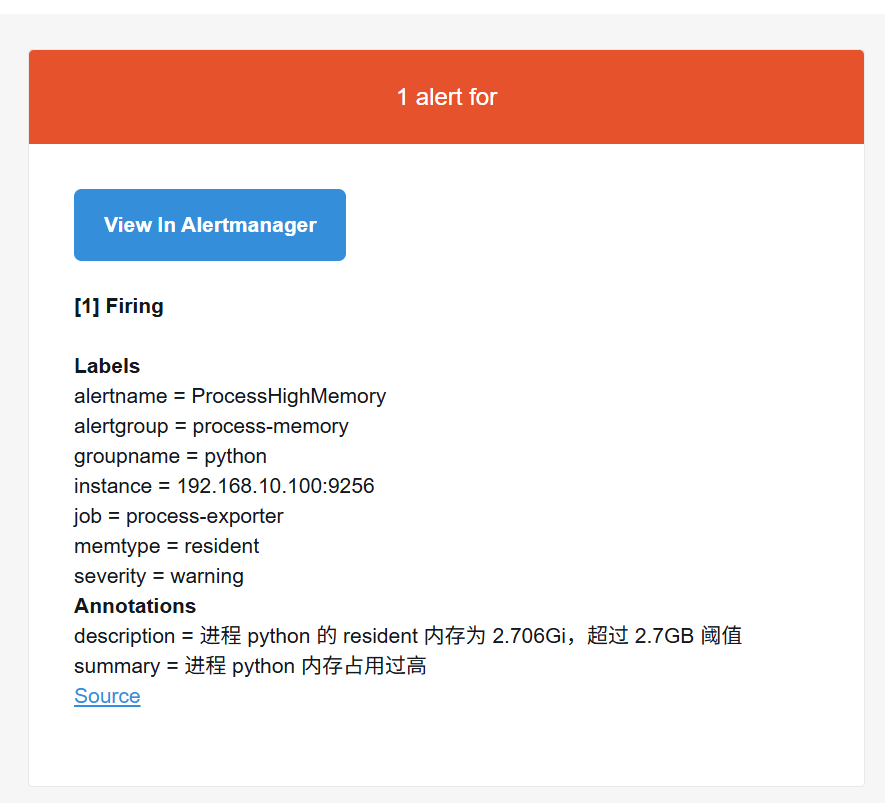
1 2 3 4 5 6 7 8 9 10 - name: process-memory rules: - alert: ProcessHighMemory expr: namedprocess_namegroup_memory_bytes{memtype="resident"} > 2700000000 for: 1m labels: severity: warning annotations: summary: "进程 {{ $labels.groupname }} 内存占用过高" description: "进程 {{ $labels.groupname }} 的 resident 内存为 {{ $value | humanize1024 }} ,超过 2.7GB 阈值"
后续加新规则:在 /vmalert/rules/ 下新建一个 key,consul-template 自动检测变更 → 渲染 → SIGHUP reload vmalert。
验证 1 2 3 4 5 6 7 8 9 10 11 12 13 14 15 16 17 kubectl exec deploy/vmalert -c vmalert -- cat /etc/vmalert/rules/rules.yml kubectl logs deploy/vmalert -c vmalert | grep 'process-memory' kubectl port-forward deploy/vmalert 8080:8080 curl http://localhost:8080/api/v1/alerts kubectl port-forward svc/vmalertmanager-victoria-metrics-k8s-stack 9093:9093 curl http://localhost:9093/api/v2/alerts
完整配置文件见 /root/k8s-manifests/。
本文由 AI 辅助生成,内容经人工审核与验证。